Every sector accounted for. Nothing guessed.
InVitro opens damaged, encrypted and nested evidence, recovers what is there, and marks every byte it could not read. That includes failing disks, VM images, E01s and raw split sets with pieces missing. You see that in the viewer, in the export and in the report.
The imager and viewer are free for any use. Paid editions are perpetual licences with optional maintenance.
Read map one square per sector
- Read and good
- Unreadable
- Checksum failed
- Encrypted, locked
- Never recorded
Evidence is rarely clean, and tools quietly fill the gaps
What usually happens
- A damaged image is refused as "corrupt" or "unsupported", and the examiner reaches for a second tool.
- Unreadable sectors come back as zeros, and a file built from them looks complete.
- A volume is mounted from a backup copy of its metadata, and nobody is told which copy was used.
- Recovery and forensics live in separate products, with separate licences and separate exports.
What InVitro does
- It opens every recognised variant: damaged, segmented, encrypted or odd. Each part is marked locked, unavailable or bad, with the reason and the way to unlock it.
- Every sector and every decoded stream carries an honest status. A decode failure is reported as one; it is never filled with zeros.
- It picks the best metadata copy automatically, records why, and lets you switch.
- Recovery and analysis share one case, from imaging to the report.
Built for evidence that fights back
Honest sector statuses
Every sector is good, unreadable, never recorded, checksum-failed or unavailable, and the status follows the bytes into previews, hashes, exports and reports. A file built partly from unread sectors says so.
Damaged-media tolerance
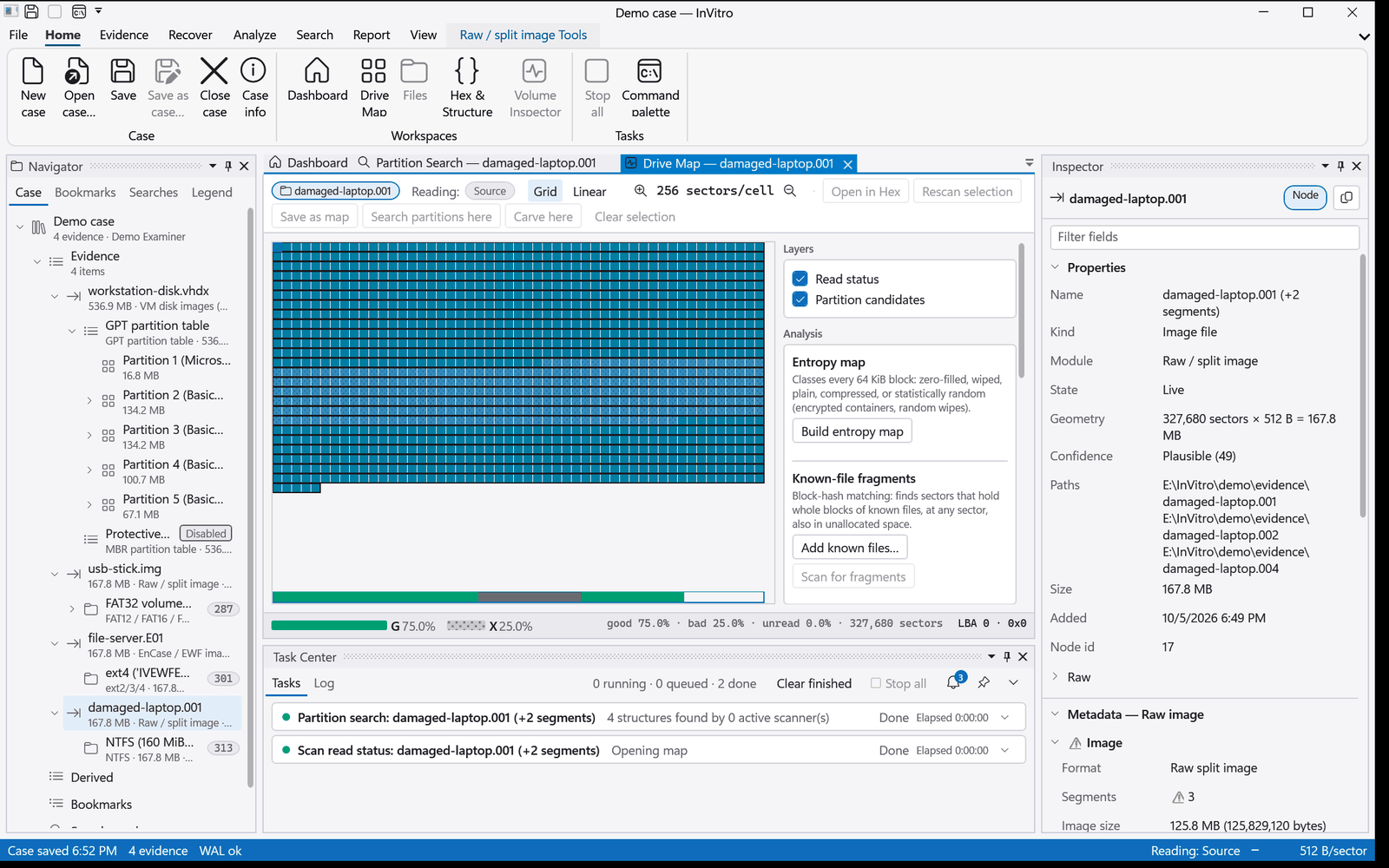
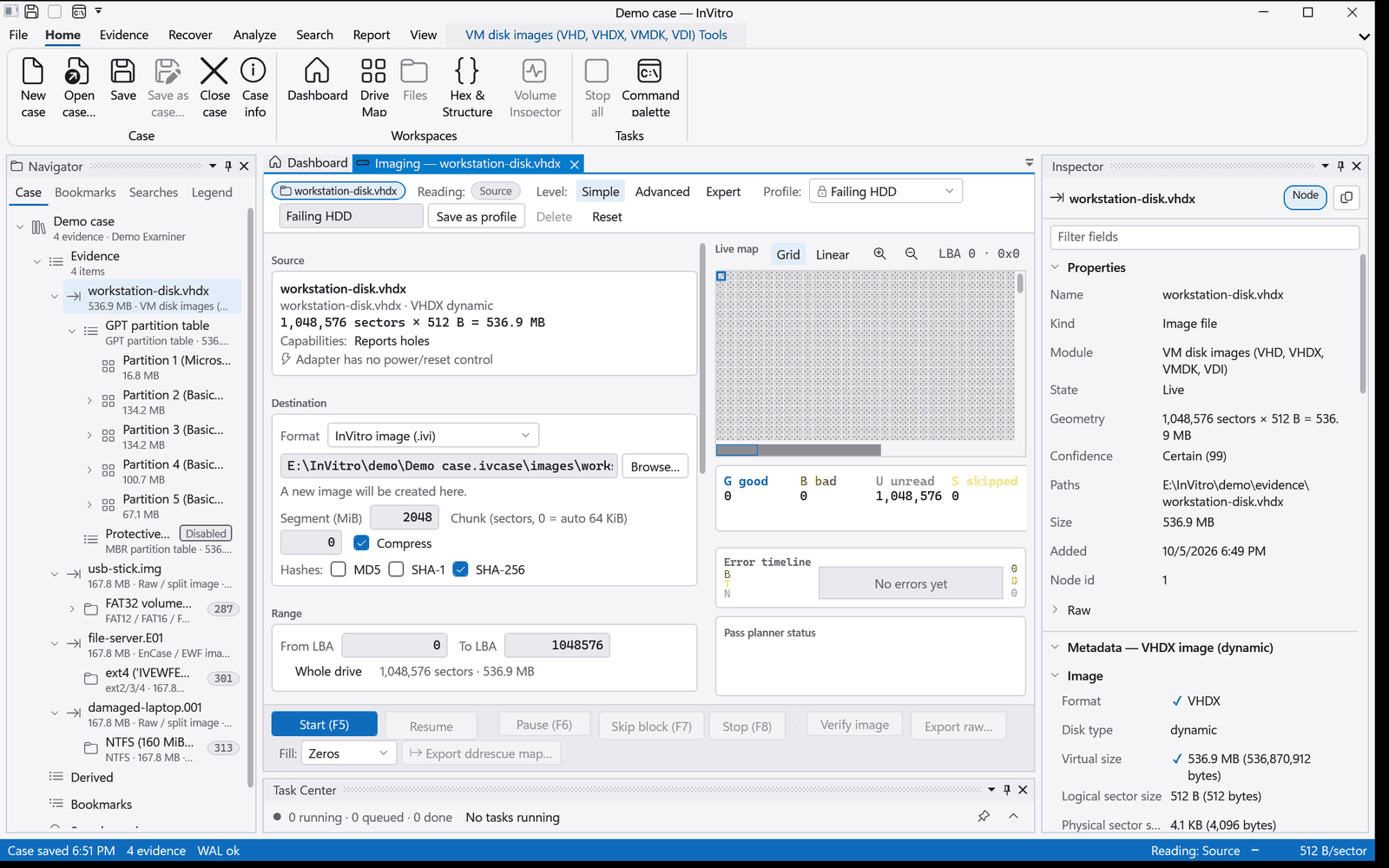
It images failing drives with multi-pass strategies and keeps a read map. It mounts volumes whose metadata is half gone. Checksums are verified on read where the filesystem has them: Btrfs, ZFS and ReFS.
Explicit metadata-copy choice
FAT1 or FAT2, $MFTMirr, backup superblocks, ZFS uberblocks, APFS checkpoints: InVitro picks the best copy, records the reason in the case and shows it, and you can switch with one command.
Everything nests
A VHDX holding a GPT disk holding NTFS. A LUKS2 volume holding ext4. An E01 or a QCOW2 holding ext4. Each layer is recognised automatically and mounts like any drive, and so does a disk image found as a file inside the evidence.
Air-gapped friendly
No network is needed to examine evidence. Activation works by file for offline labs and never sends case data. Keys you enter are stored in the case, so locked volumes open again on reopen.
Proven against independent oracles
Modules are tested on images made by real tools and checked against Windows, the Linux kernel or libewf. Corruption campaigns check that damaged input is flagged, not served as good. How we validate.
One case, from the first sector to the report
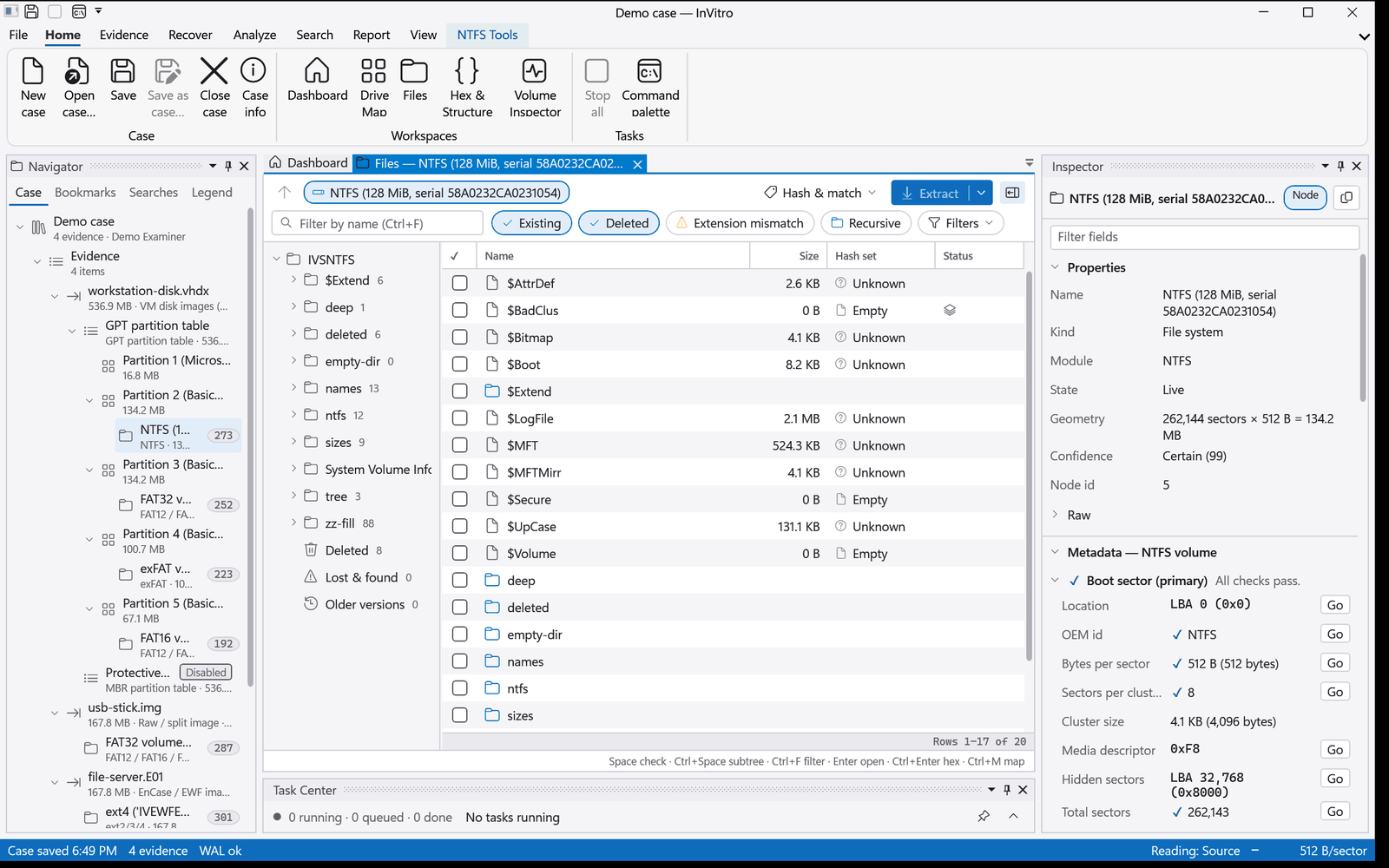
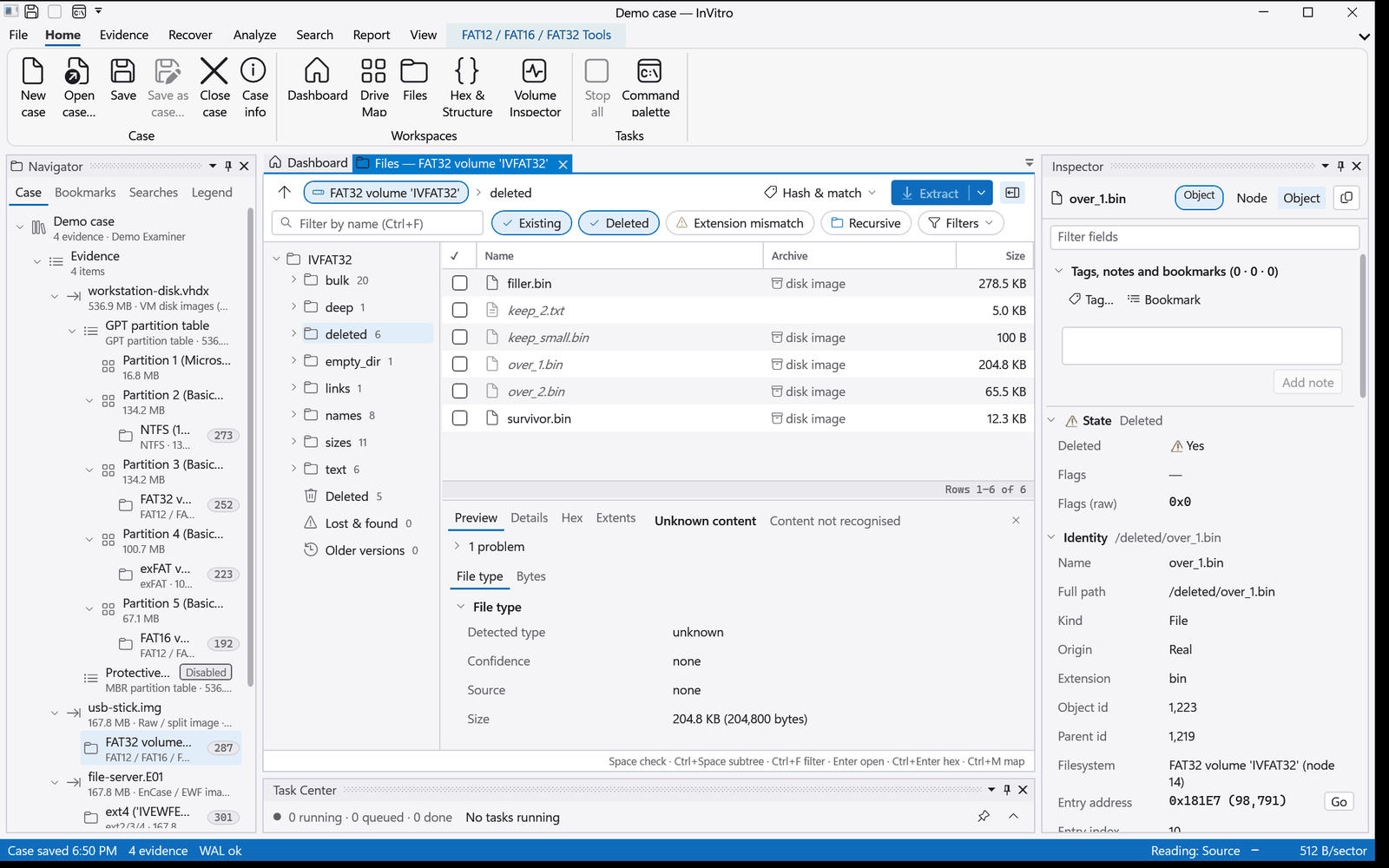
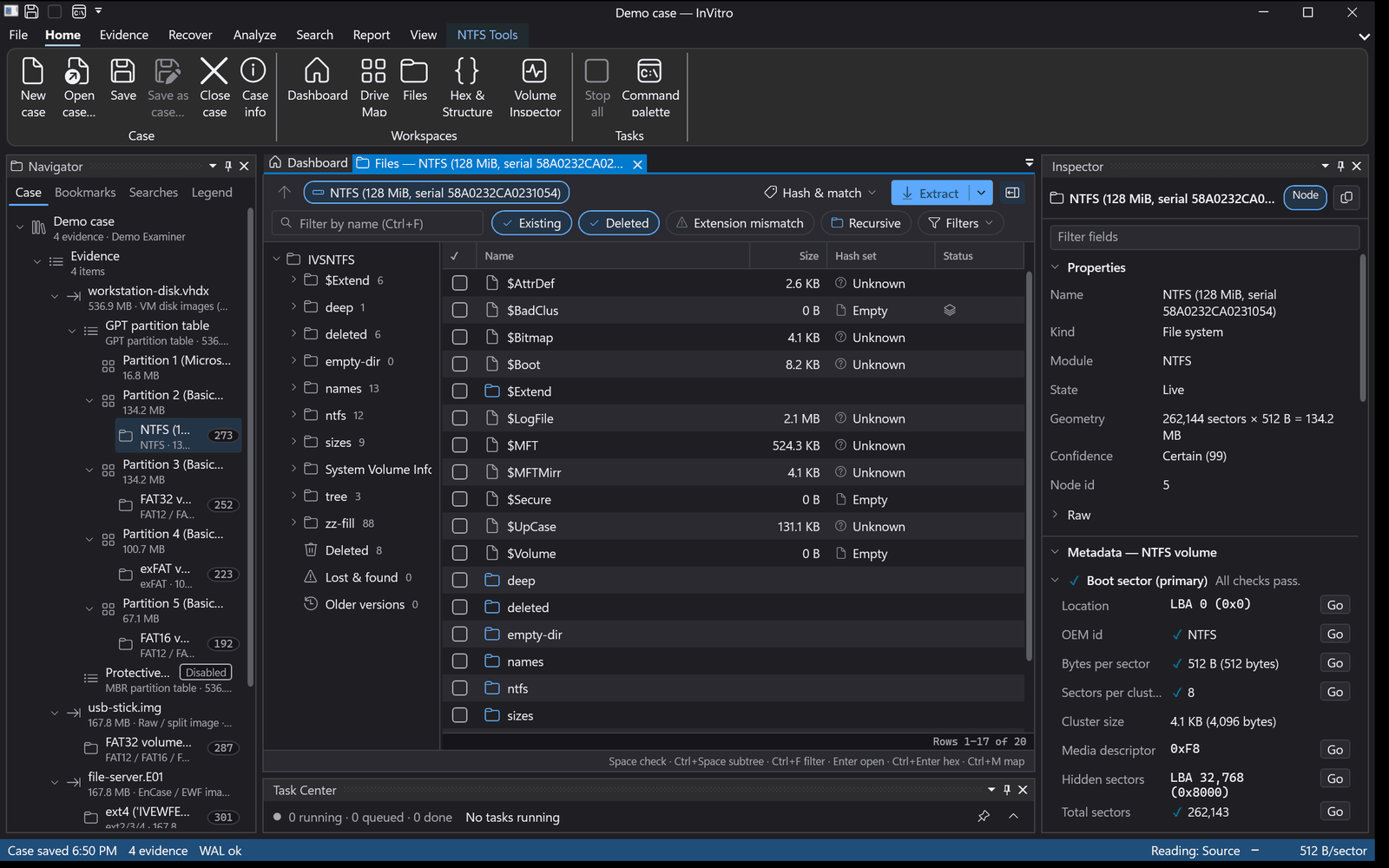
These screenshots come from a demo case built from generated test images. Each pane opens on the node you select in the case tree.
A workspace you can live in
The ribbon, docking panes and a single Inspector work the same way in every workspace. Plain-language headlines come first, and the raw fields are one click away. The light and dark themes are both complete.
- Drag an image onto the window to triage it at once
- Long tasks show progress and can be stopped; imaging, carving and processing profiles resume after a restart
- A command palette for every command
Start with the free imager
Image disks, USB media and optical discs, then open the case in any edition when you need more.